Thumper finds the better price
Prediction market prices, compared before you take a position
Thumper is a free browser extension that compares the price you're about to take on Polymarket with MagicMarkets, with Polymarket's taker fee counted, so you can see which is cheaper before you trade.
Free · Chrome & Firefox · No account required
How Thumper works
01
The 42¢ you see isn't really 42¢
Polymarket adds its taker fee at trade time. Thumper counts it, so you compare what a share really costs.
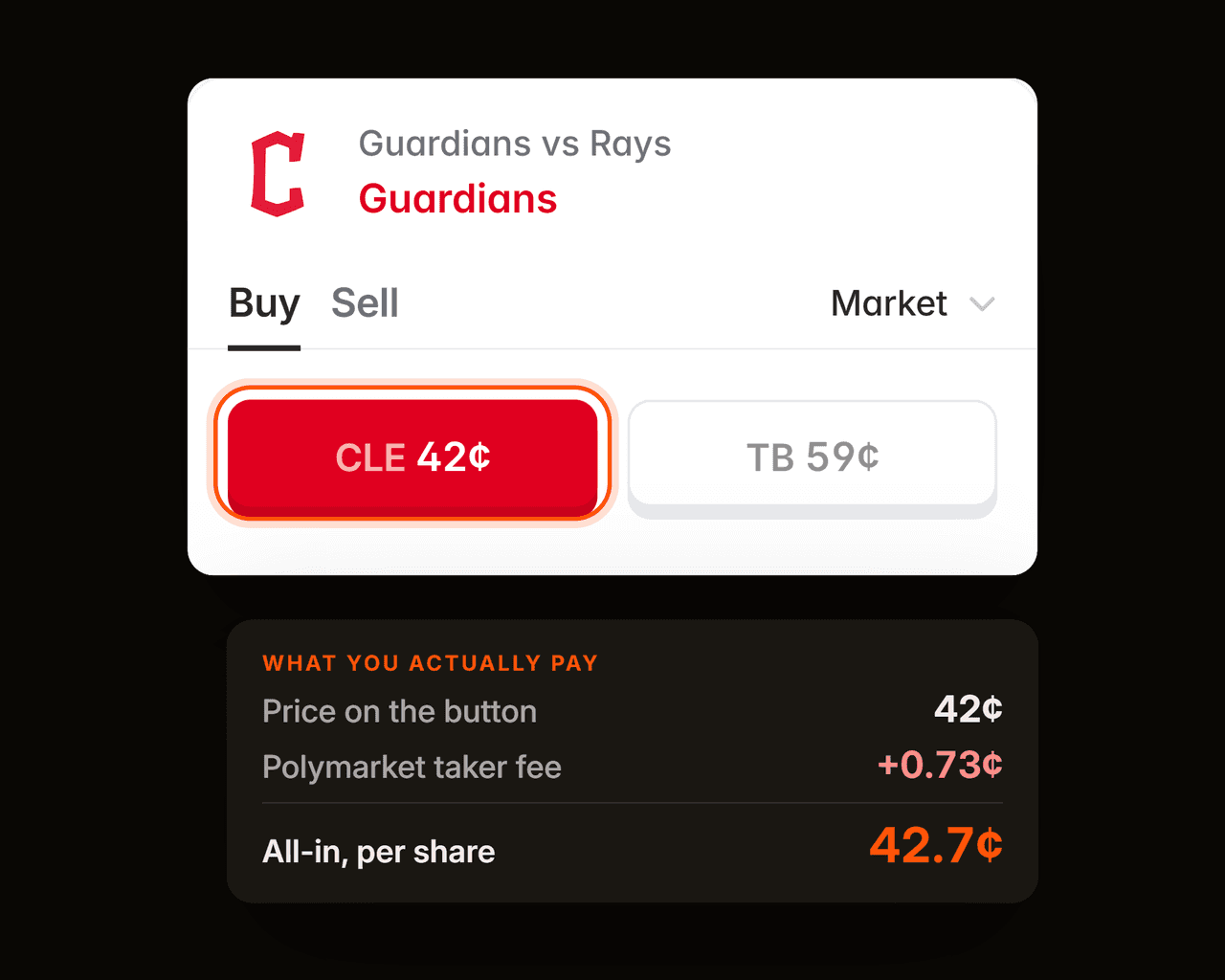
02
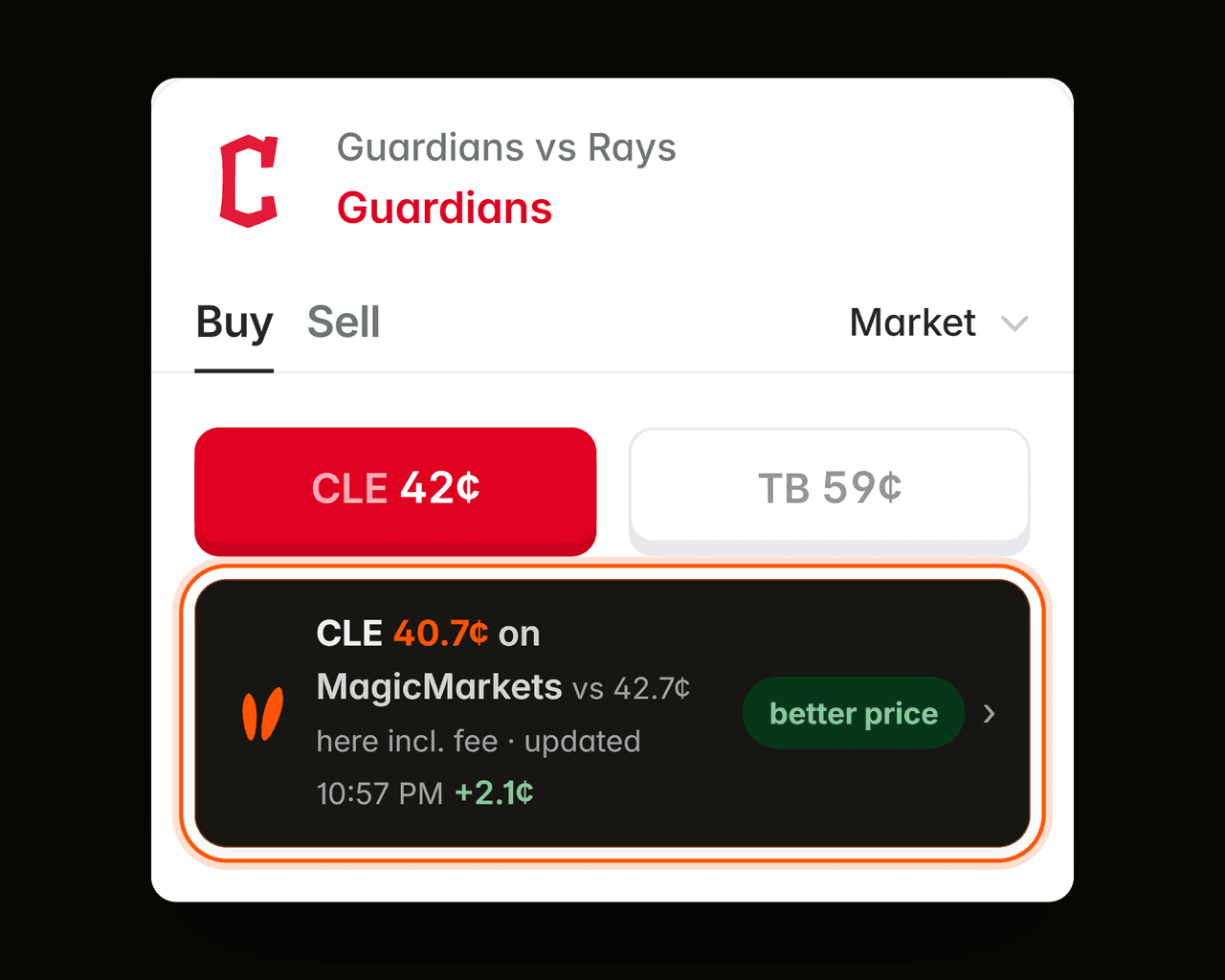
Our price, right where you trade.
Pick an outcome on Polymarket and the MagicMarkets price appears in its trade box, with Polymarket's fee counted.
03
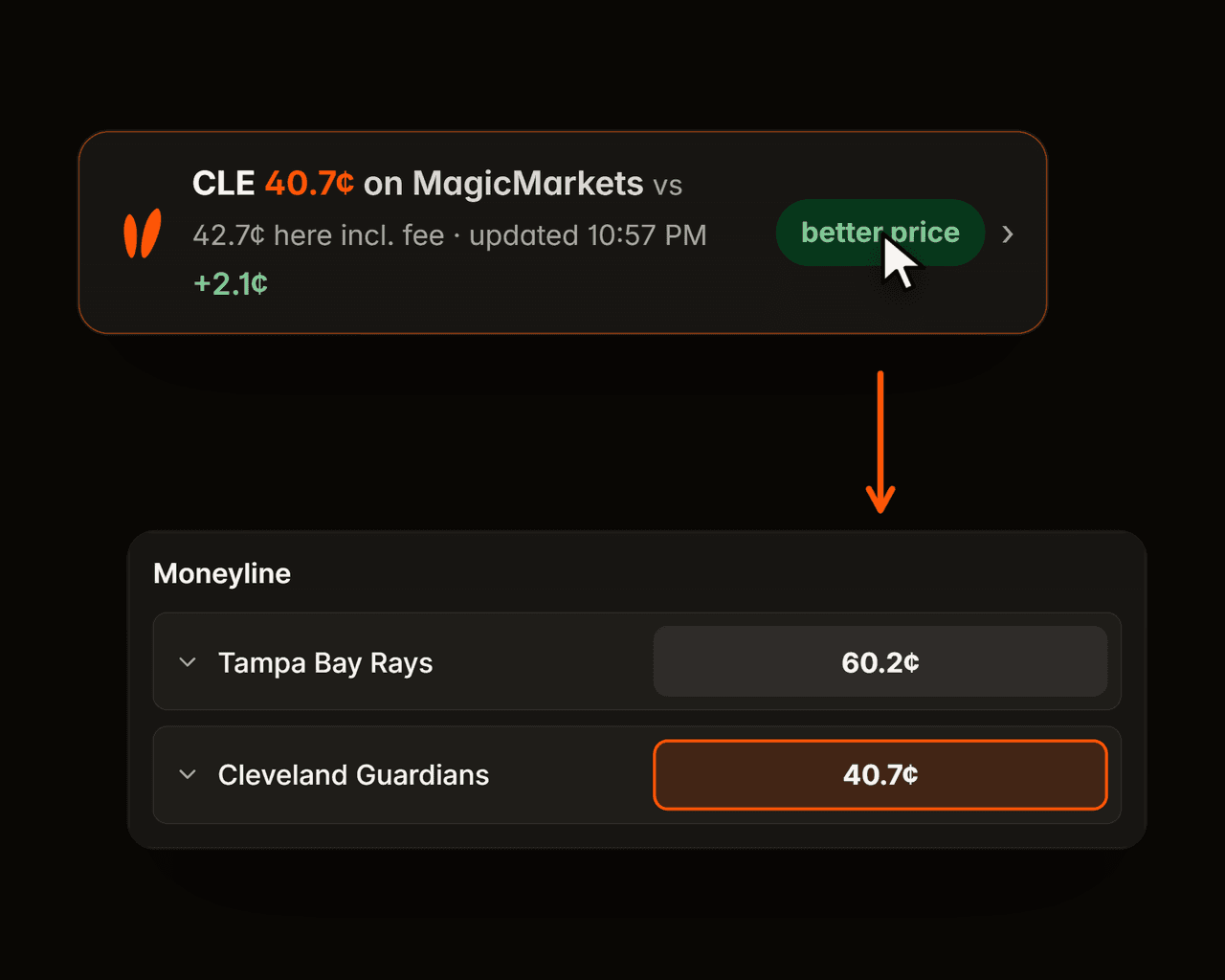
One click to the same market.
When MagicMarkets is cheaper, the banner shows the gap in cents. Click it and the same market opens on MagicMarkets.
04
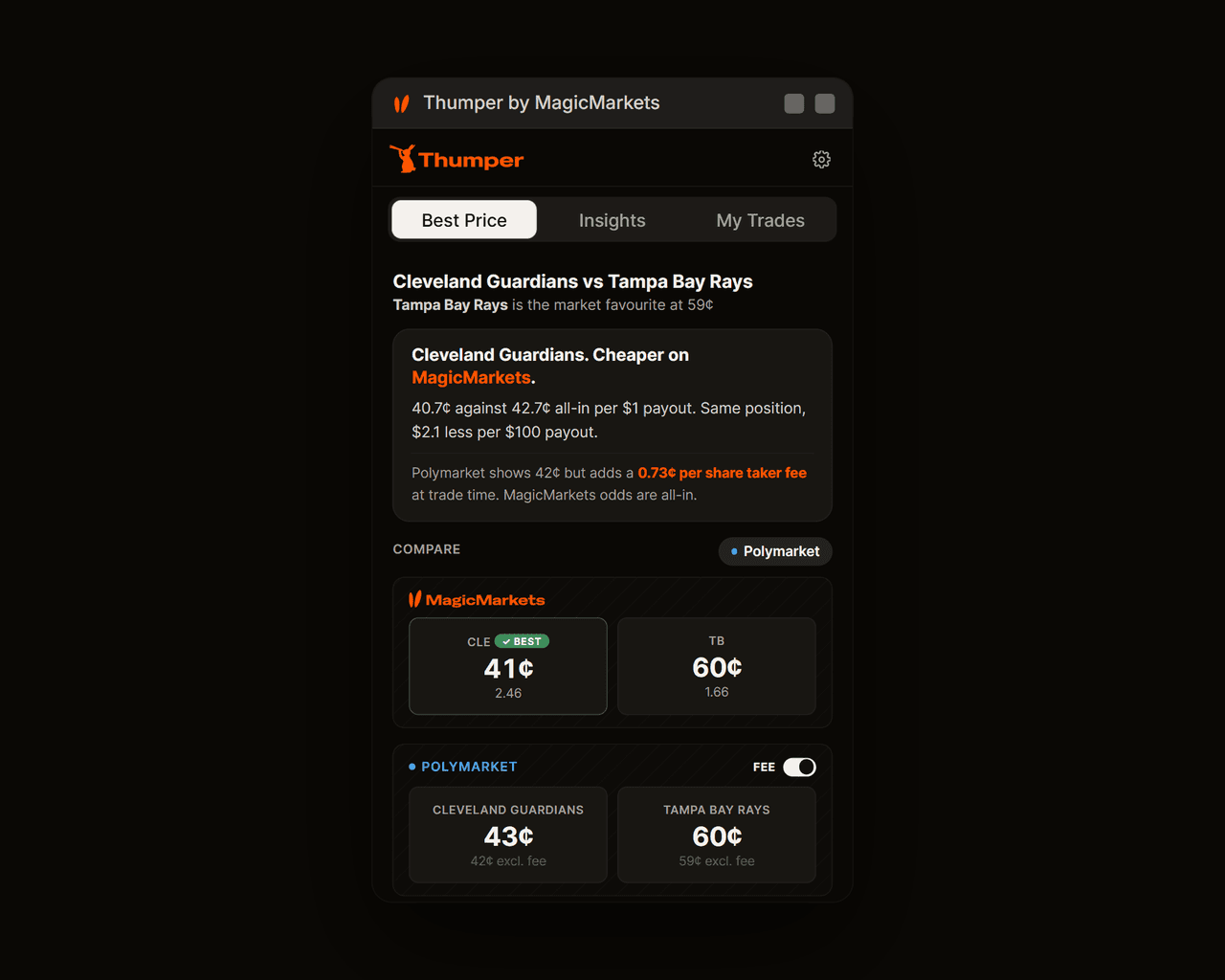
Both prices. Fee counted. One panel.
Click the Thumper icon for the side panel: Best price, Insights and My trades, beside the market you're viewing.
05
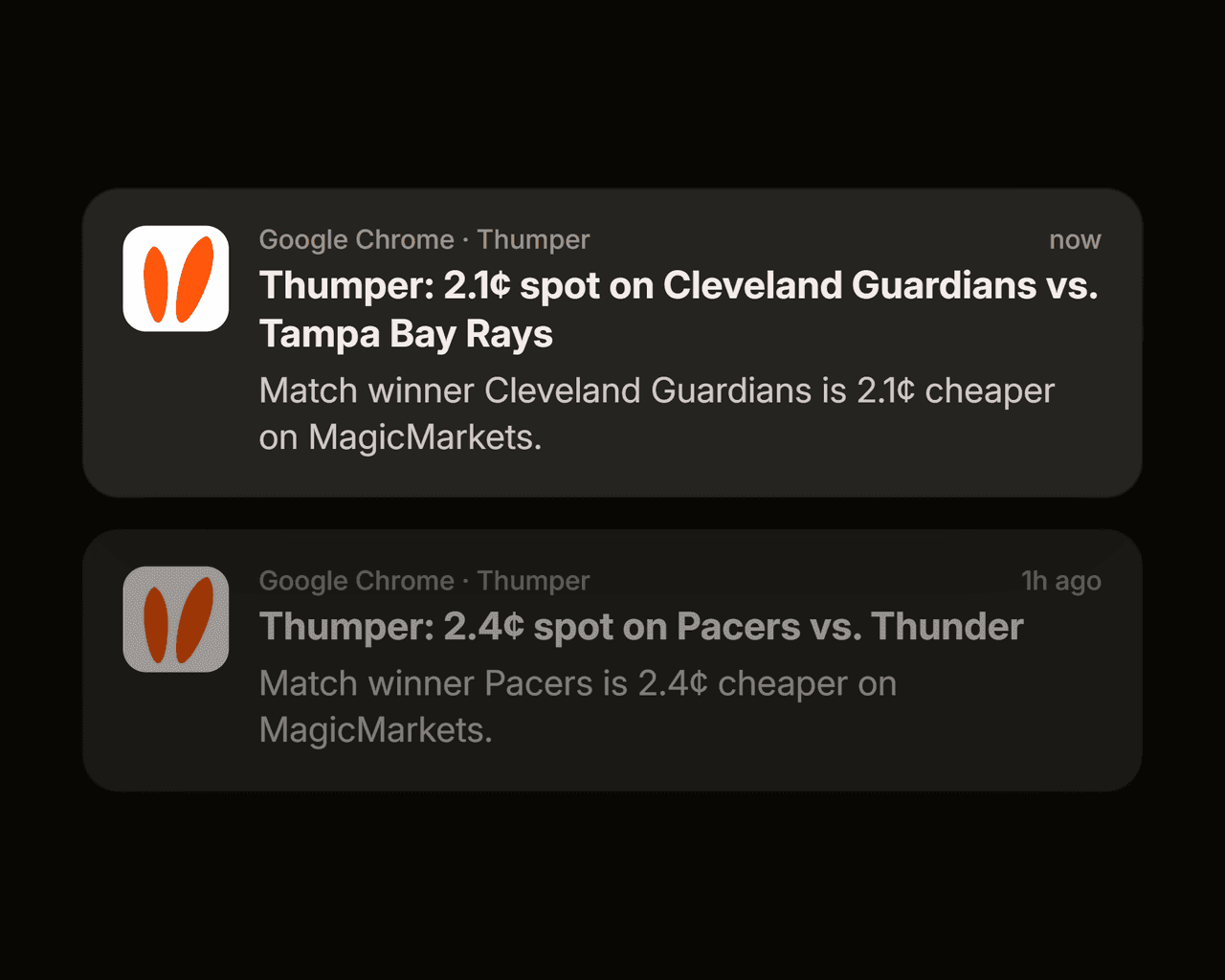
A thump when MagicMarkets is 2¢+ cheaper
Turn on alerts and Thumper flags games starting in the next 48 hours, with real depth behind the price.
What is Thumper?
Thumper is a free browser extension from MagicMarkets for Chrome and Firefox. It opens as a panel beside the market you're viewing on Polymarket and shows the same position priced on MagicMarkets, with Polymarket's taker fee counted. When MagicMarkets has the lower price, Thumper flags it and shows the gap in cents.
Thumper works on match winner markets for NFL, NBA, NHL, MLB and soccer games.
Price in the trade box
Pick an outcome on Polymarket and the MagicMarkets price appears under the trade box, with Polymarket's taker fee counted.
Better price, flagged
When MagicMarkets is cheaper, a tag shows the gap in cents. One click opens the same market.
Side panel
Best price, Insights and My trades: both venues side by side, order size checks and your open Polymarket positions.
Return calculator
Enter a stake and see what it returns on each venue.
Alerts
Get notified when MagicMarkets is 2¢ or more cheaper on a game starting soon.
Why traders install Thumper
Fee included
Polymarket's taker fee is added before comparing, so both prices are the real cost of one share.
Never trades for you
Thumper shows prices. You choose where to buy.
Read-only
My trades uses only your public wallet address. No keys, no permissions.
Free
No subscription, no account required to compare.
See both prices before you trade
Prediction markets don't always agree on price. Thumper compares the position you're about to take on Polymarket with the same position on MagicMarkets, so a small gap in odds doesn't quietly cost you on every trade.
Polymarket costs
$2,472
MagicMarkets costs
$2,400
Includes Polymarket's ~3% taker fee — $72 more for the same position.
Polymarket
+ Taker feeWho operates Thumper
Thumper is built and maintained by 3-102-947650 SRL, the same company behind MagicMarkets, incorporated under the laws of Costa Rica.
Our license
MagicMarkets, the prediction market Thumper compares prices against, is licensed in Anjouan, Union of the Comoros, under license number ALSI-202607031-FI1.
Questions about Thumper
What is Thumper?
Thumper is a free browser extension from MagicMarkets that compares Polymarket sports prices with MagicMarkets prices. When you open a game on Polymarket, Thumper shows the MagicMarkets price in the trade box, with Polymarket's taker fee counted, so you can see which is cheaper before you trade.
Is Thumper free?
Yes. Thumper is free to install and use, and no account is required.
Which browsers support Thumper?
Thumper is available for Chrome and Firefox. Install it from the Chrome Web Store or Firefox Add-ons, then pin it to your toolbar.
Which sports and markets does Thumper cover?
Thumper works on NFL, NBA, NHL, MLB and soccer game pages on Polymarket and magicmarkets.com, and compares match winner markets.
How do I use Thumper?
Pin Thumper to your toolbar, open a sports game on Polymarket and pick an outcome. Thumper's banner appears under the trade box with the MagicMarkets price. Click the banner to open that market on MagicMarkets, or click the Thumper icon for the full comparison.
How does Thumper account for Polymarket's taker fee?
Polymarket charges a taker fee on orders that fill immediately, so the price shown on Polymarket isn't the full price you pay. Thumper adds the fee to the Polymarket price before comparing it with the all-in MagicMarkets price.
What happens when Polymarket is cheaper than MagicMarkets?
Thumper shows that Polymarket has the better price. The comparison works both ways, so you can take the position wherever the price is lower.
How often does Thumper update prices?
Thumper prices are live and checked every few seconds.
Does Thumper place trades for me?
No. Thumper never places a trade for you. It shows prices, and you choose where to buy.
How do Thumper alerts work?
Thumper alerts are off by default. Once turned on, they notify you when MagicMarkets is 2¢ or more cheaper than Polymarket, with real depth behind the price, on a game starting in the next 48 hours. Turn them on from the settings gear in the Thumper side panel.
Does Thumper collect personal data?
No. Thumper sends anonymous usage events, such as "panel opened" or "price banner shown" with the sport and price difference, to an analytics provider. It doesn't collect personal data, the pages you visit or wallet addresses. On Chrome, usage events are on by default and can be switched off in Thumper's settings. On Firefox, usage events only run if you grant Thumper's optional data collection permission.
Is Thumper affiliated with Polymarket?
No. Thumper is built by MagicMarkets and is not affiliated with or endorsed by Polymarket.
See both prices before you trade.
Free to install, works in seconds, and shows you both prices, fee included, before you trade.